
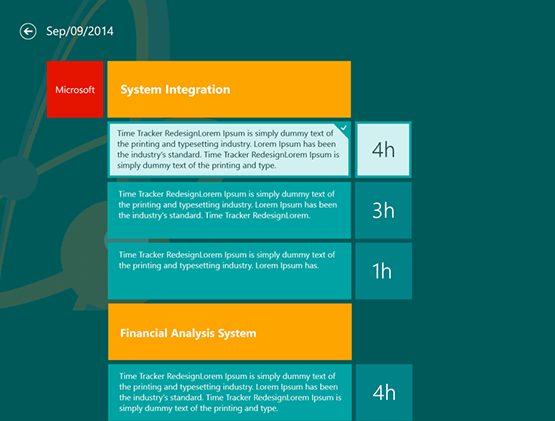
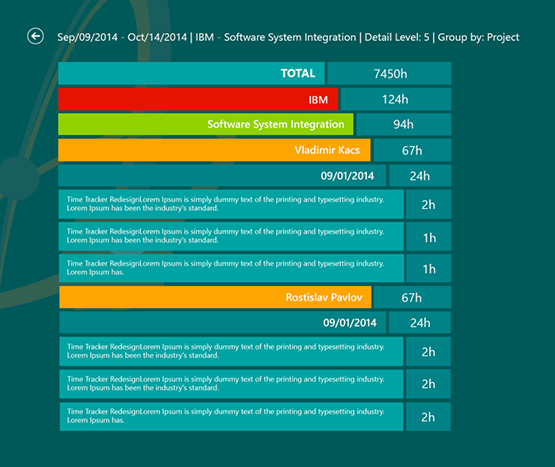

Diatom Enterprises worked on the UI/UX design of a Windows 8 application using the Metro UI design concept.
The project focused on exploring and applying Microsoft’s new design principles to create a clear, user-friendly interface for a time tracking application targeted at outsourcing and IT service companies.
This project marked Diatom Enterprises’ first experience designing an application for the Windows 8 operating system using the Metro UI design concept. The task required creating full design mockups for a new application based solely on Microsoft’s Metro UI guidelines, without prior design references or detailed functional specifications.
The primary goal was to design a visually clean, intuitive, and usable interface while fully complying with Metro UI principles. The application was intended for companies providing outsourced IT services and included time tracking, reporting, and advanced search functionality.
The design process started with defining a complete visual and structural concept for the application. Special attention was given to organizing all elements of the time tracking system in a way that would remain clear and easy to use while following Metro Style constraints.
Multiple design iterations were created, experimenting with:
• Different layouts and element positioning
• Color schemes and visual hierarchy
• Readability and information density
Throughout the process, designs were refined and adjusted repeatedly to achieve a balance between Metro UI aesthetics and practical usability.
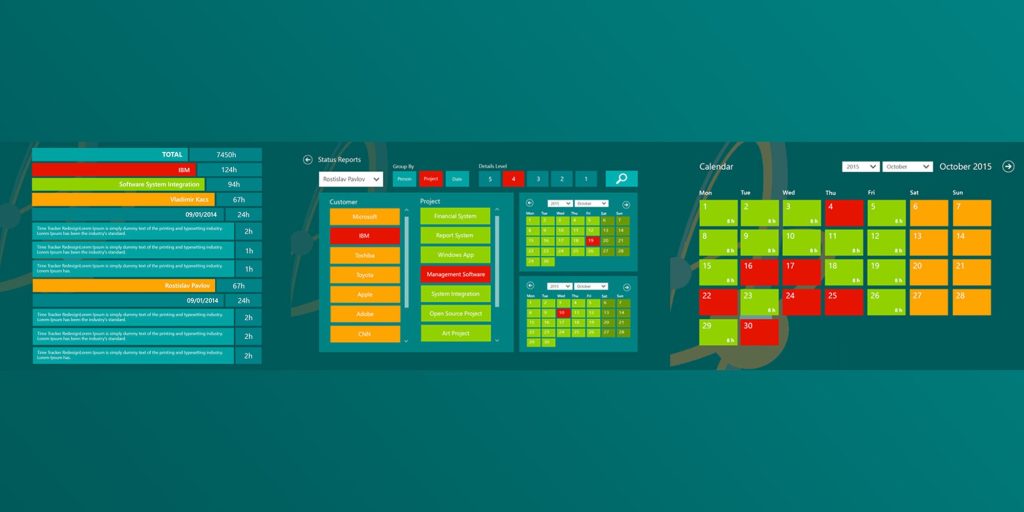
One of the most challenging aspects of the project was designing complex data-heavy views using Metro Style, including:
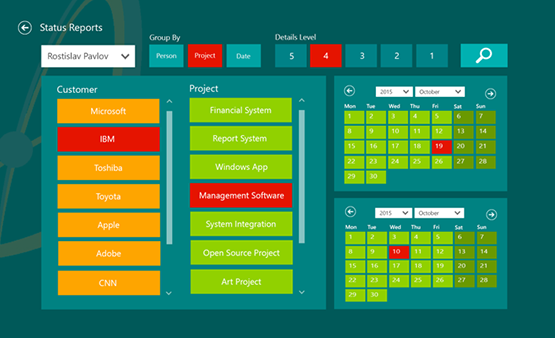
• Reports showing hours spent by employees on company projects
• Advanced search interfaces
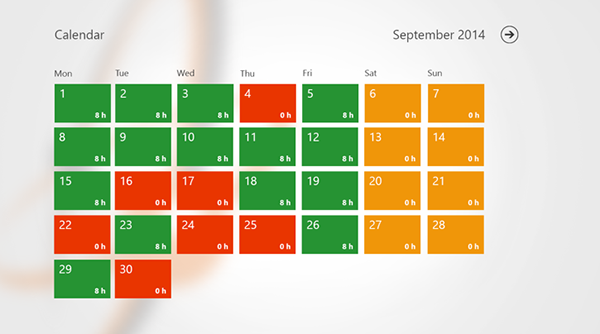
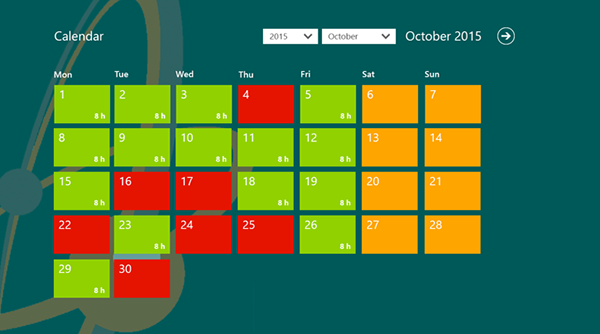
• Calendar-based views for time tracking
Several versions of report and calendar designs were produced, tested, and refined to ensure clarity, consistency, and ease of use. Despite initial difficulties, the Metro UI concept proved effective for presenting structured data when applied correctly.
The project demonstrated that Metro UI design principles can be successfully applied to complex business applications, including time tracking and reporting systems. The experience helped the team gain practical expertise in:
• Designing for new operating system paradigms
• Applying strict UI guidelines to real-world business software
• Balancing visual simplicity with functional depth
The final design concepts provided a solid foundation for further development, testing, and implementation of Windows 8 applications using Metro UI.
We rely on proven, modern technologies to deliver reliable and scalable custom software solutions.