What is a Legacy System and When Should You Modernize?

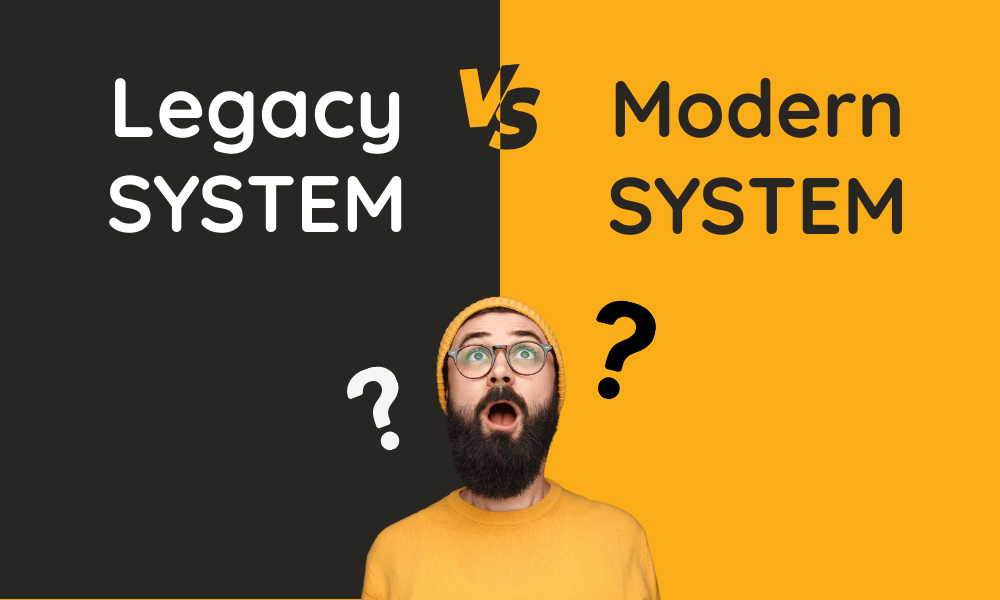
Table of content
Does your business run on software that feels like a relic from a bygone era? Perhaps it’s a trusted, familiar system that has served you well for years. It still gets the job done, so the old saying “if it ain’t broke, don’t fix it” comes to mind. Before you agree with it, answer a plain question: what is a legacy system, and is yours one? A system that still runs can be losing you customers, blocking new features and leaving security holes that no vendor will ever patch. Is your technology an asset or an anchor?
What is a Legacy System?
A legacy system is an outdated computing system, software application or technology that is still in use but is hard to maintain, support or integrate with modern systems. That is the legacy system meaning in one line: the business still depends on it, while the people and vendors needed to keep it healthy are disappearing. Age alone does not make software legacy. A ten-year-old Java service with tests and a supported runtime is in good shape, while a three-year-old app on a framework its vendor has abandoned is already legacy. Replacing one well takes working knowledge of the old stack and of a wide range of modern technologies.
What is legacy system in software engineering terms? Engineers usually mean code the current team cannot change safely: poorly documented source code, few or no automated tests, and languages such as COBOL, RPG or classic Visual Basic that few developers still learn. Michael Feathers, in Working Effectively with Legacy Code, defines legacy code simply as code without tests. The technology can be anything from an on-premise server running a custom-built application to a mainframe that settles card transactions in overnight batch jobs.
Why are legacy systems still used? Because they work, and replacing them is risky. A core system often holds decades of business rules that nobody wrote down anywhere else, so a rewrite means rediscovering those rules from the code. A budget for new features is also easier to approve than one for replacing something that still runs.
This is where the “if it ain’t broke” philosophy turns dangerous. Every workaround and every postponed upgrade adds to your technical debt, and the system gets more fragile and more expensive to change. In 2025 the US Government Accountability Office reviewed 69 federal legacy systems and named the 11 most in need of modernization: they are 23 to 60 years old, seven run with known cybersecurity vulnerabilities, and two Treasury systems still depend on COBOL and assembly language. Agencies typically spend about 80 percent of their IT budget on operating and maintaining existing IT, according to the GAO report on critical legacy systems.
Real-World Legacy Systems Examples and Their Hidden Dangers
What is an example of a legacy system? Think of a bank still running its core accounts on a COBOL mainframe application written in the 1980s. Or a manufacturer on SAP ECC that cannot connect to IoT sensors on the factory floor: SAP ends mainstream maintenance for its Business Suite 7 core applications, ECC included, at the end of 2027, with optional extended maintenance to the end of 2030 at a higher fee. Another of the classic legacy systems examples, and a common answer to “what is legacy software with example”, is a customer relationship management (CRM) tool built on an old MySQL database with no mobile interface and no link to today’s marketing automation software.
The most familiar piece of legacy computer software sits on office desks. Microsoft ended support for Windows 10 on 14 October 2025. Home users can receive Extended Security Updates until 12 October 2027, and organizations can buy up to three years of commercial ESU, with the price doubling each year (see Microsoft’s Windows 10 end of support page). On servers, SQL Server 2016 left extended support in July 2026 and Windows Server 2016 follows in January 2027. A legacy database is often the hardest part, because its tables and stored procedures carry business rules that only the old application understands.
The dangers of relying on these systems are serious. The most immediate risk is security: once a vendor stops releasing patches, every newly found vulnerability stays open. Maintenance costs climb next. As the technology ages, the pool of developers who can support it shrinks, and a handful of specialized legacy software companies can charge high fees for basic support.
Another problem is “shadow IT.” When your primary business system is rigid and user-unfriendly, employees export data to spreadsheets, use unapproved third-party apps and create disconnected data silos. Your official legacy system becomes a clunky middleman, surrounded by a fragile web of other tools that fragments your data and creates compliance risks of its own.
The biggest danger is stagnation. You can’t launch a new mobile app, move workloads to the cloud or add data analytics if your core systems can’t talk to modern tools. You have the business ideas, but your technology says “no.”
The Tipping Point: Key Signs It’s Time to Modernize
So, when does a system cross the line from “old but reliable” to “a critical business liability”? The signs are clear if you know where to look.
- Maintenance costs rise every year while the feature list stays the same
- Slow performance, frequent crashes and costly downtime after routine changes
- Critical knowledge locked with one or two employees nearing retirement
- The vendor or platform has an announced end-of-support date
The legacy system vs modern system debate is less about new versus old and more about agility versus rigidity. A modern system, built on a flexible architecture, gives you concrete advantages:
- Scalability: Scale resources up or down with cloud infrastructure or even a Serverless Architecture, paying only for what you use.
- Security: A supported platform gets patches as vulnerabilities appear, and you can add continuous threat monitoring on top.
- Accessibility: Staff and customers reach data and applications from a browser or a phone, with access controlled by role.
- Integration: Documented APIs connect the system to your CRM, payment provider and analytics tools without manual CSV exports.
Modernization pays off in better customer experiences and better tools for employees. Hiring gets easier too, because few engineers want to spend their careers maintaining a stack nobody else uses.
Modernization doesn’t have to be an all-or-nothing “rip and replace” project. You can rehost the application on the cloud as it is, refactor parts of the source code, re-architect it as cloud-native services, or replace it with SaaS. For large systems, the strangler fig pattern works well: put a routing layer in front of the old system and move one function at a time to new code until nothing is left behind. AI tools now speed up the discovery work. AWS Transform for mainframe and IBM watsonx Code Assistant for Z read COBOL, extract business rules and draft modern code, though every extracted rule still needs a human check. Our guide to AI automation for legacy systems covers this approach.
This is where the right partner makes the difference. Diatom Enterprises has built custom software since 2004, and our 80+ senior engineers work AI-first, with a senior engineer reviewing every AI output before it reaches your code.
Your Path Forward: From Legacy Burden to Business Asset
A structured approach makes modernization manageable. The first step is always a thorough assessment. We audit your existing systems to map their functions, interdependencies, data flows and, most importantly, their value to the business. We also note who still understands each part, so that knowledge is captured before anyone leaves.
With the assessment in hand, build the business case. Its return shows up in reduced maintenance costs and in business growth. How will a new system increase sales? How much time will employees save each week? What would a security breach cost if you do nothing? These answers turn an IT expense into a business decision.
Then choose the approach and the team. Whether you need a new web platform, a mobile app or a reliable desktop application, we compare the modernization options with you and plan the cutover so your operations keep running during the move.
Legacy Systems FAQ
- What does legacy system mean? Software or hardware your business still relies on that is hard to maintain, secure or connect to newer tools. A practical legacy system definition: if your team avoids changing it because something might break, it is legacy.
- What is an example of a legacy system? A COBOL mainframe at a bank, an ERP on SAP ECC, a Microsoft Access database that runs order processing, or office PCs still on Windows 10 without Extended Security Updates.
- Is legacy computer software always unsafe to keep? No. A system that still receives security updates and has people who understand it can run safely for years. The risk grows when patches stop and the last expert leaves.
Conclusion
So, what is a legacy system? It is any outdated technology that still works but holds back your business’s growth and security. The maintenance costs, the risk of failure and the features you cannot build add up to more than they appear.
Start with the system that carries the most risk, such as one whose end-of-support date is already announced, and plan the move before that date forces your hand.
Is your outdated software holding you back? If you’re ready to turn your technology from a liability into an engine for growth, we’re here to help. Contact us today for a consultation and let’s build the future of your business, together.