What Is an ERP System? A Comprehensive Guide to Enterprise Resource Planning

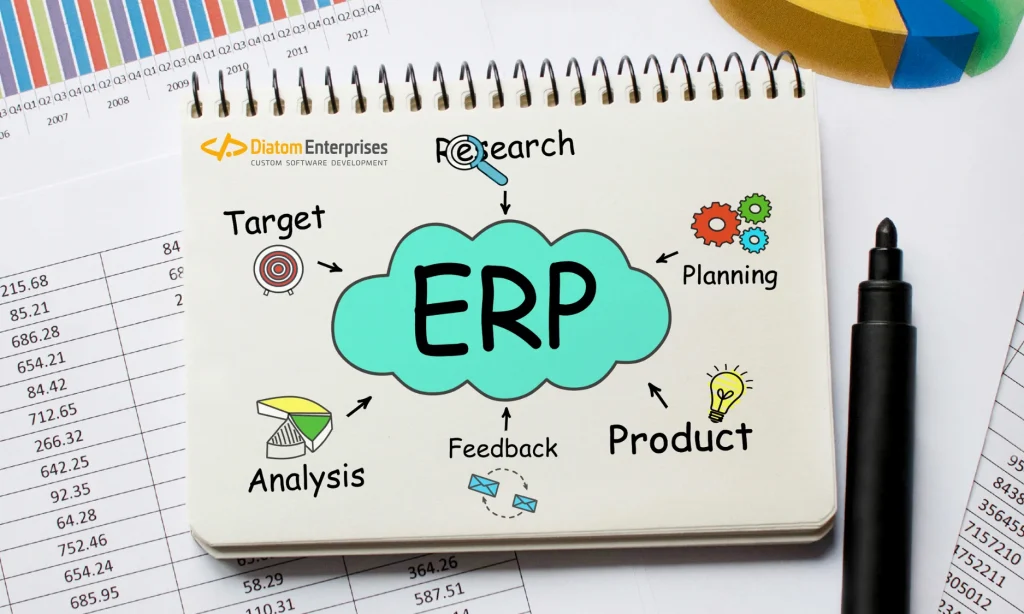
What is an ERP system? An ERP system is a software platform that integrates a company’s core processes, from finance and procurement to inventory, manufacturing, HR and sales, on one shared database, so every department reads and updates the same records. ERP stands for enterprise resource planning. The shared database is what separates an ERP from a collection of business apps: an invoice, a stock movement and a payroll run all post to the same ledger, and nobody re-keys data between systems.
Most companies arrive at ERP the same way. Finance adopts an accounting tool, sales runs a separate CRM, the warehouse tracks stock in spreadsheets and HR pays people through its own portal. That works while volumes are small. As orders and headcount grow, the gaps between these tools turn into duplicate entries, figures that disagree between departments and a month-end close that depends on the few people who know where the data lives.
For leaders auditing their software, the definition of an enterprise system is a useful starting point: it is any application that supports processes across the whole organization rather than one team. ERP is the most common type, with CRM and supply chain management suites usually named alongside it. The practical questions come next: which modules you need, whether to buy or build, and, when no commercial product fits, how to build an ERP system the business can run for a decade.
The Integration Deficit: Why Siloed Software Stifles Enterprise Growth
The usual alternative to an ERP is a set of best-of-breed tools joined by integrations, and its cost is the “integration deficit.” When a customer orders in an e-commerce store, that order has to reach inventory and billing before it can ship, either through someone re-typing it or through point-to-point API connectors. Every connector is more code to monitor, and when one fails silently, orders wait in a queue before anyone notices.
Reporting suffers next. A question as simple as “what was our margin by product line last month?” means exporting data from several systems, matching customer and product codes in a spreadsheet and arguing over which number is right. By the time the report is ready, it is days old. An ERP still needs some integrations, with e-commerce or banking for example, but it cuts the number of systems that hold their own version of the truth to one.
Defining the Core: What Is an ERP System?
The ERP system structure has three layers: a single database, business modules on top of it, and one user interface and permission model across all modules. Underneath sit shared master data records, such as customers, suppliers, items and the chart of accounts, that every module uses. If you need to define enterprise resource planning (ERP) system architecture in one sentence: many modules, one data model.
An ERP does not pass messages between separate programs. Every module reads from and writes to the same ERP engine and database. When the shop floor reports a finished production run, finished-goods inventory goes up, the raw materials it consumed are deducted, purchasing sees that a component has dropped below its reorder point, and finance records the cost of the goods produced. Nobody enters anything twice, so a warehouse picker and the CFO see the same figures at the same moment.
The Anatomy of an Enterprise ERP: Key Operational Modules
So what is in an ERP system? Companies license or build the modules their operating model needs. A distributor may never switch on manufacturing, while a services firm cares more about projects and time tracking than about warehouses. The most common functional blocks are:
- Financial Management & General Ledger: The foundation of every ERP. It covers payables and receivables, fixed assets, budgeting and tax, and produces the balance sheet and income statement directly from posted transactions.
- Supply Chain & Inventory Management: Tracks raw materials, work-in-progress (WIP) items and finished goods from purchase order to delivery. Reorder points and demand forecasts keep stock from running out or piling up.
- Manufacturing & Production Planning: Holds bills of materials (BOM) and routings, schedules machines and labor, and records actual production costs against the plan.
- Human Capital Management (HCM): Centralizes employee records and shift scheduling along with reviews, benefits, onboarding and payroll, across all legal entities.
- Customer Relationship Management (CRM): Connects the sales pipeline and support tickets with billing and fulfillment. Many companies keep a separate CRM such as Salesforce or HubSpot and integrate it with the ERP instead.
The Strategic Threshold: Off-the-Shelf SaaS vs. Custom ERP Engineering
Once a company decides it needs one system, it has to choose between buying a commercial ERP and building a custom ERP system. The commercial market in 2026 falls into three rough tiers. Large enterprises mostly run SAP S/4HANA, Oracle Fusion Cloud ERP or Microsoft Dynamics 365 Finance and Supply Chain Management. Mid-sized companies tend to pick Oracle NetSuite, Dynamics 365 Business Central or Acumatica. Open-source suites such as Odoo and ERPNext serve smaller firms and teams that want the source code. Pricing models differ more than buyers expect: most vendors charge per user, Acumatica prices by applications and resource use with unlimited users, and Odoo has a free single-app plan next to its paid per-user plans.
Every major vendor now ships AI inside the suite. SAP builds Joule agents into S/4HANA Cloud, and Microsoft’s Sales Order Agent for Business Central reads customer emails, checks stock and prepares quotes for a person to approve. Our article on AI in ERP decision support looks at where they help in practice.
Vendor deadlines also force decisions. SAP’s mainstream maintenance for its older ECC system, part of SAP Business Suite 7, ends in 2027 and optional extended maintenance ends in 2030. After that, only a paid transition subscription for large private-cloud customers keeps ECC supported. Companies still on ECC must move to S/4HANA, switch vendors or rebuild parts of their processes as custom software.
Commercial platforms are mature, but they are designed around standard processes. If your advantage comes from an unusual fulfillment model or pricing logic, a commercial ERP pushes you to change your workflow to fit the software or to pay for customizations that make every upgrade harder. Automating a poor process inside a rigid system only makes the poor process more consistent.
Engineering a custom ERP lets the software follow your business model instead of the other way around. You own the code and the data, you pay no per-seat license fees as the team grows, and the codebase holds only the features your operations use. The costs move to hosting and to a team that maintains and develops the system for as long as you run it. For most mid-sized companies the sensible answer is a hybrid: a commercial core for finance and payroll, plus custom modules for the processes that set the business apart. Our build vs buy decision framework and our guide on how to choose an ERP system and what it costs cover that decision in detail.
How to Build an ERP System: A Step-by-Step Engineering Framework
An ERP touches every department, and a mistake in one module shows up in the others, so the order of work matters. Here is a practical roadmap for how to build an ERP system:
Step One: Discovery, Process Mapping, and Stakeholder Audits
Before anyone writes code, run discovery sessions in every department. Sit with warehouse managers, accountants, HR leads and executives and map their actual workflows: what comes in, what goes out and which spreadsheets fill the gaps. The output is a process inventory that marks each workflow as keep, adapt or redesign. Fixing a broken process before you automate it costs far less than encoding it in software and changing it later.
Step Two: Database Architecture and Schema Modeling
Because every module shares one database, the ERP schema is the most expensive thing to get wrong. Model the core entities (customers, items, orders, invoices, ledger entries) with clean foreign keys and constraints. Decide early how you handle multiple currencies and legal entities, because retrofitting them later touches every table. Keep financial postings immutable: a correction is a new entry, never an edit. Index for the queries your reports will run, since ledger and stock-movement tables grow fastest.
Step Three: API Layer and Back-End Engineering
With the schema settled, backend engineers build the business logic: pricing, stock reservations, approval rules and margin calculations. A modular monolith (one deployable application with strict boundaries between modules) is usually the safer start for an ERP, because modules often share a single transaction. Split out services later only where the load differs, such as reporting. Expose the logic through REST or GraphQL endpoints so other applications talk to the core ERP engine instead of reaching into the database.
Step Four: Frontend UI/UX Design and Frontend Development
Usability decides adoption. If screens are slow or confusing, employees return to shadow IT spreadsheets and the ERP becomes one more system to update. Design for people who enter data all day: keyboard shortcuts, fast data grids with saved filters, sensible defaults and clear validation messages. Consistent labels across modules let training in one area carry over to the next.
Step Five: Testing, Controlled Deployment, and Iterative Optimization
An ERP failure costs money the same day: a bug in the invoicing module can stop cash collection. Automate regression tests around posting rules, load-test at month-end volumes and run user acceptance testing (UAT) with the people who will use each module. Roll out in phases, starting with one branch office or department, and run the old and new systems in parallel through at least one accounting close so you can reconcile the numbers before switching the old one off.
Core ERP Modules
| Module | Business Function |
|---|---|
| Finance | Accounting, budgeting, reporting |
| Inventory | Stock, procurement, warehouse management |
| Manufacturing | Production planning and shop-floor operations |
| HR | Employees, payroll, performance management |
| CRM | Sales, customer data, support |
Key idea: All ERP modules share the same database, allowing every department to work with real-time, consistent business data.
Data Migration Strategy: Transforming Legacy Chaos into Structured Truth
One of the hardest steps in learning how to build an ERP system is moving historical data out of legacy environments. Operational data usually sits in old databases, accounting exports and spreadsheets, often with the same customer stored under several spellings. Loading it unchanged into a clean schema carries the mess straight into the new system.
Engineers build Extract, Transform, Load (ETL) pipelines that pull from each source, fix malformed records, merge duplicates and map every field to the new ERP schema. Decide how much history to bring across: a common approach is to migrate open transactions and opening balances with a limited window of history, and archive the rest read-only. Reconcile every ledger balance against the old system before go-live, and have the finance team sign off on the result, not only the data engineers.
Architectural Best Practices: Ensuring Security, Scalability, and Performance
An ERP stores a company’s most sensitive financial and personal data, so a custom build has to be designed defensively from the first sprint:
- Role-Based Access Control (RBAC): Grant permissions by role. A warehouse worker needs inventory screens but has no reason to see salaries or ledger balances. Add segregation of duties in finance, so the person who creates a supplier cannot also approve payments to it.
- Audit Logging: Every change must write to an append-only audit trail that records exactly who changed what data and when it happened. Auditors and security investigations depend on that trail.
- High Availability & Disaster Recovery: Run the application in containers (for example on Kubernetes) with database replication across zones or regions, automated failover and point-in-time recovery. Test restores on a schedule; a backup that has never been restored is not a recovery plan.
- Fast, Forgiving Search: Operators look up orders and parts all day, so search has to handle autocomplete, typos, synonyms and partial matches. Someone holding a fragment of an order number or a misspelled customer name should still find the record in seconds.
Governance and Maintenance: Keeping an ERP Platform Alive
Go-live is the beginning of an ERP’s working life, not the end of the software project. Treat the system as a product with an owner and a backlog. ERPs that are left alone drift out of step with the business: new entities and sales channels get handled in spreadsheets around the system, and within a few years the old silos are back.
Assign an owner to each module, usually a business lead paired with a technical lead, who approves changes and answers for data quality. Build change triggers into operations: when the business adds a legal entity, changes regional tax settings or switches carriers, a ticket goes into the ERP development backlog at the same time. Watch the system’s own signals, such as query latency or the number of manual journal entries, alongside operator feedback to decide what to improve next.
Critical Pitfalls in ERP Projects and How to Avoid Them
Large ERP projects have a reputation for running late and over budget, usually because of decisions made before the first line of code. Three patterns cause most of the trouble:
- Trying to Automate Everything at Once: Building every conceivable feature before launch delays value and fixes the scope before real users have tried anything. Ship a minimum viable product (MVP) for one end-to-end process, such as order-to-cash, then extend it.
- Underinvesting in Operator Training: An ERP is only as accurate as the data people put into it. Users who were never trained on the new entry rules work around the system, and every report built on their data inherits the errors.
- Conflating Framework Complexity with Quality: Choose the architecture your team can maintain for the next ten years, not the most fashionable one. An event-driven microservices platform looked after by a three-person team usually ends up as technical debt.
ERP Systems: Frequently Asked Questions
- Which of the following describes an ERP system? If you meet this as a quiz question, pick the option that describes integrated software in which business functions such as finance and inventory share one database. A standalone accounting package or a single-department tool does not match the definition.
- What is the definition of an ERP system in one sentence? An ERP system is integrated business software in which finance, operations, HR and sales work from one shared database and one set of master data.
- How do tax compliance tools integrate with an existing ERP? Tax engines such as Avalara AvaTax and Vertex connect through prebuilt connectors for the large suites, including NetSuite, Dynamics 365 and SAP, or through a REST API for custom systems. The ERP sends each quote or invoice line with addresses and product tax codes, the engine returns the tax by jurisdiction, and the ERP posts it to the ledger.
Engineering a Custom ERP That Lasts with Diatom
A custom ERP depends less on technical execution than on the organization’s commitment and the engineering partner it chooses: a team experienced in backend architecture and enterprise UX, with the patience to spend weeks in discovery before building anything.
At Diatom Enterprises, 80+ senior engineers have built custom business software since 2004, mainly for clients in North America and Western Europe. Our custom software development teams work in .NET, Java and Node.js, and migrate data out of legacy systems, whether you need a full ERP or custom modules around the commercial core you already run.
Get in touch for a free architectural consultation today, and let’s map out a custom ERP solution built to accelerate your business.
Table of content
Years in business
Senior engineers
Projects delivered